How It Works – 3 Simple Steps
From manual drudgery to fully automated, personalized emails — no code, no stress.
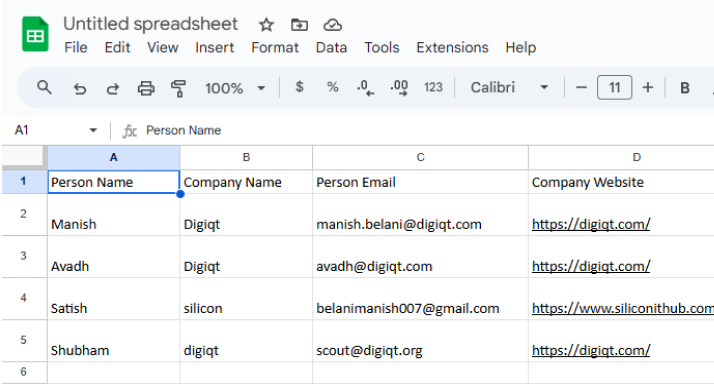
Create a Google Sheet
Start by creating a Google Sheet that includes the person's name, email, LinkedIn URL, company name, and website URL. Then, download it in CSV format.
1
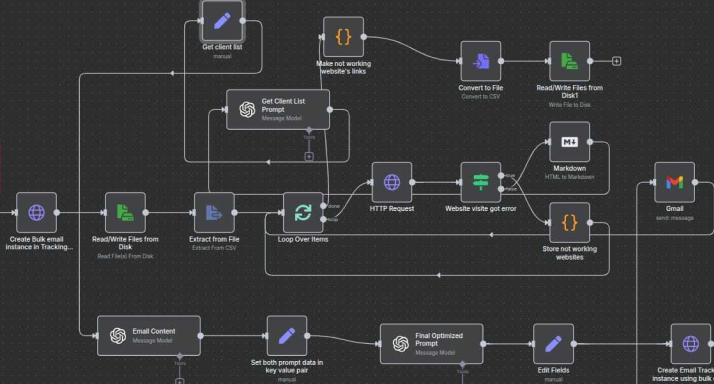
Upload the File to the Workflow
Next, upload the CSV file into the workflow. Give your campaign a name for easy tracking, and then start the workflow.
2
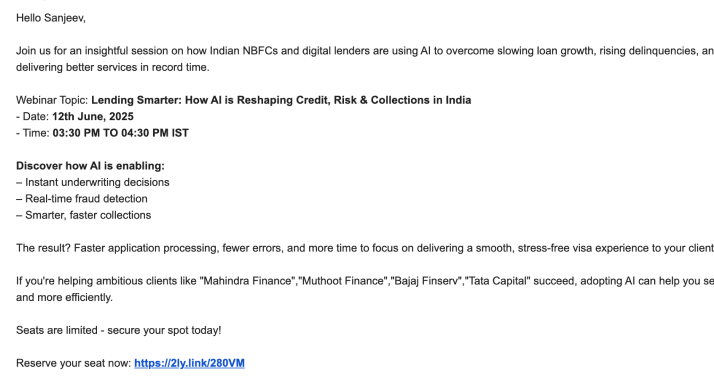
Get Customized Emails
Once the workflow begins, AI will crawl each company’s website to extract the client’s name. Using this information, it will automatically send personalized emails to each contact.
3
Reply rates boosted by smart personalization
✓ Works with your CRM, sheets, and lead forms
✓ No manual sending — everything runs on autopilot
✓ One-time setup, continuous delivery